Moderation
All requests are subject to the moderation settings defined in your Fossabot dashboard. Songs that do not meet your moderation requirements are automatically rejected.
Moderation queue
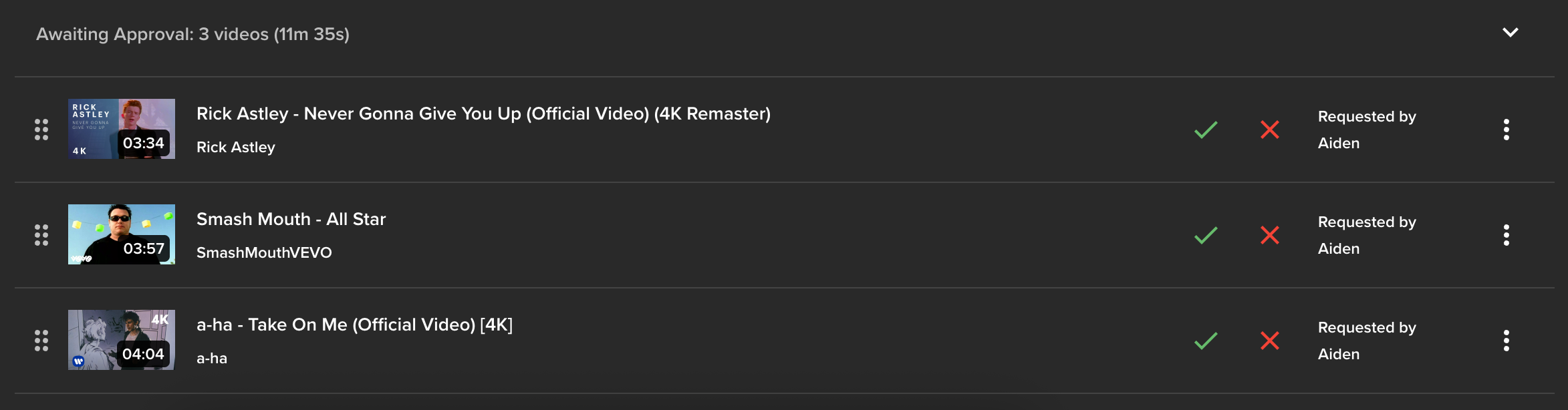
Fossabot features an optional moderation queue. When enabled, tracks requested by viewers must be approved before being sent to the main tracklist playing on stream. Enable the Queue moderation toggle at the top of the page to get started.

Approval workflow
When users request media for stream, they will be automatically sent to the moderation queue. Use this queue to approve or deny a request. When a track is approved, it is sent to the main queue, ready to be played on stream.
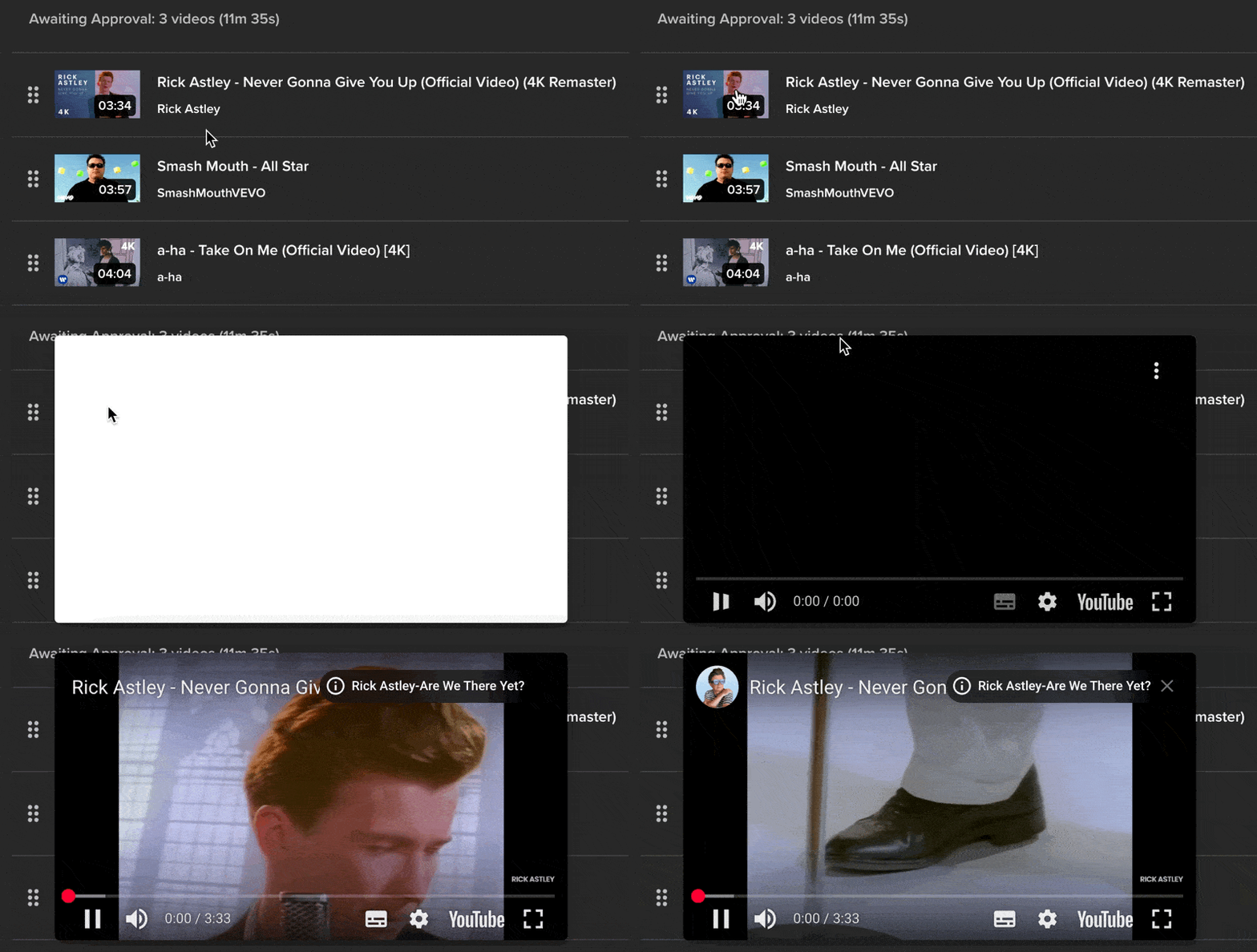
To review a request, simply click the thumbnail, and Fossabot will conveniently provide a popout player that will start playing the request.
You may also ban a track from being requested again using the three dot menu to the side of each request.

Moderation settings
Fossabot features a wide range of moderation controls to help automate the tireless task of managing your media request queue.
Queue limits
Reach out in Discord if you believe you require a higher limit. We can review and grant if approved.
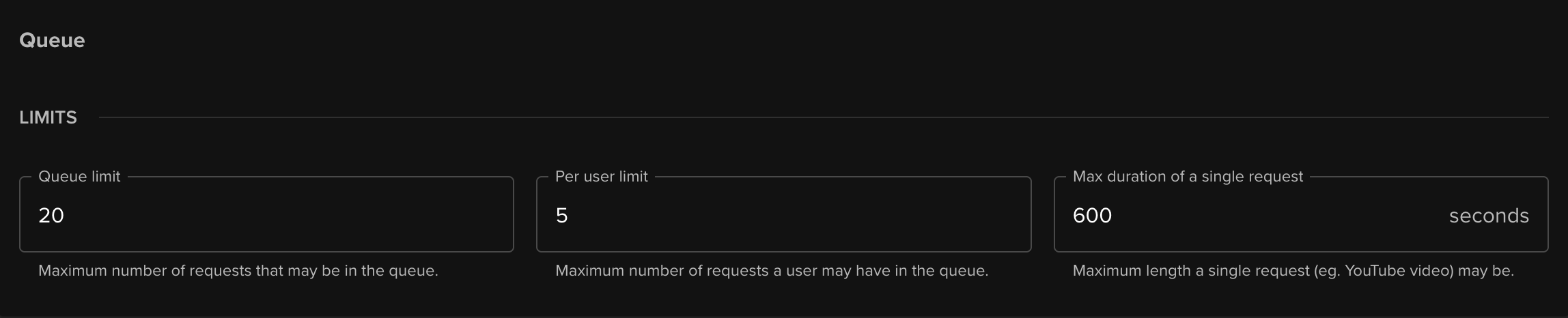
Fossabot features 3 different limits to manage the size of your queue.
- Queue limit - The total number of requests that may be pending in either moderation or main queue at any given time.
- Per user limit - The maximum number of requests a single viewer may have in the queue at any given time.
- Max duration of a single request - The maximum length a single request may be. Has a system enforced limit of 1 day.
Banned tracks
You are able to ban certain tracks from SoundCloud or YouTube from playing on stream. You can control the list of banned tracks in your Fossabot dashboard, available under your Media request settings.
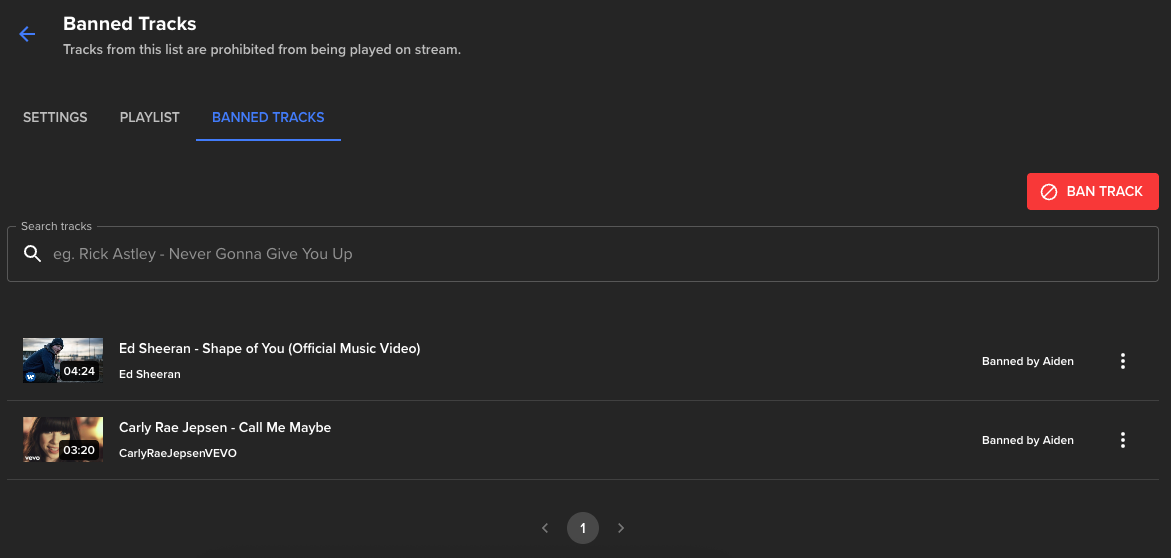
Tracks that have been added or removed from your banned tracks list are also tracked in your audit logs.

YouTube settings
The following functionality is available in the YouTube Settings section of your Media request settings:
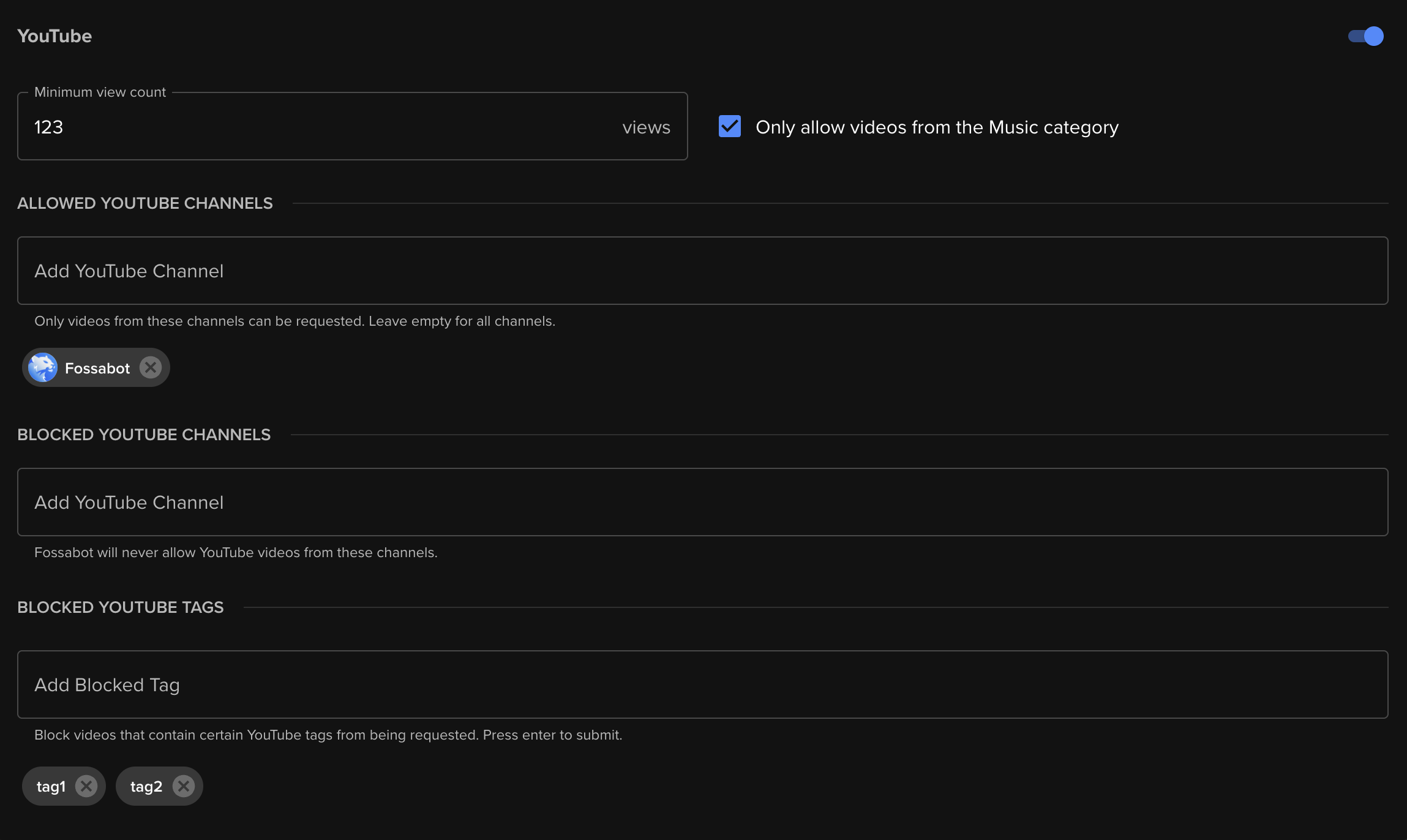
- Minimum view count: YouTube videos must contain at least the given number of views to be requested.
- Only allow videos from the Music category: YouTube videos must be in the Music category to be requested.
- Allowed YouTube channels: Videos must have been uploaded by a given list of YouTube channels to be requested.
- Blocked YouTube channels: Block videos uploaded by a given list of YouTube channels from being requested.
- Blocked tags: Block videos containing a given list of YouTube tags from being requested.
You may also entirely disable YouTube videos from being requested in your queue.
SoundCloud settings
The following functionality is available in the SoundCloud settings section of your Media request settings:
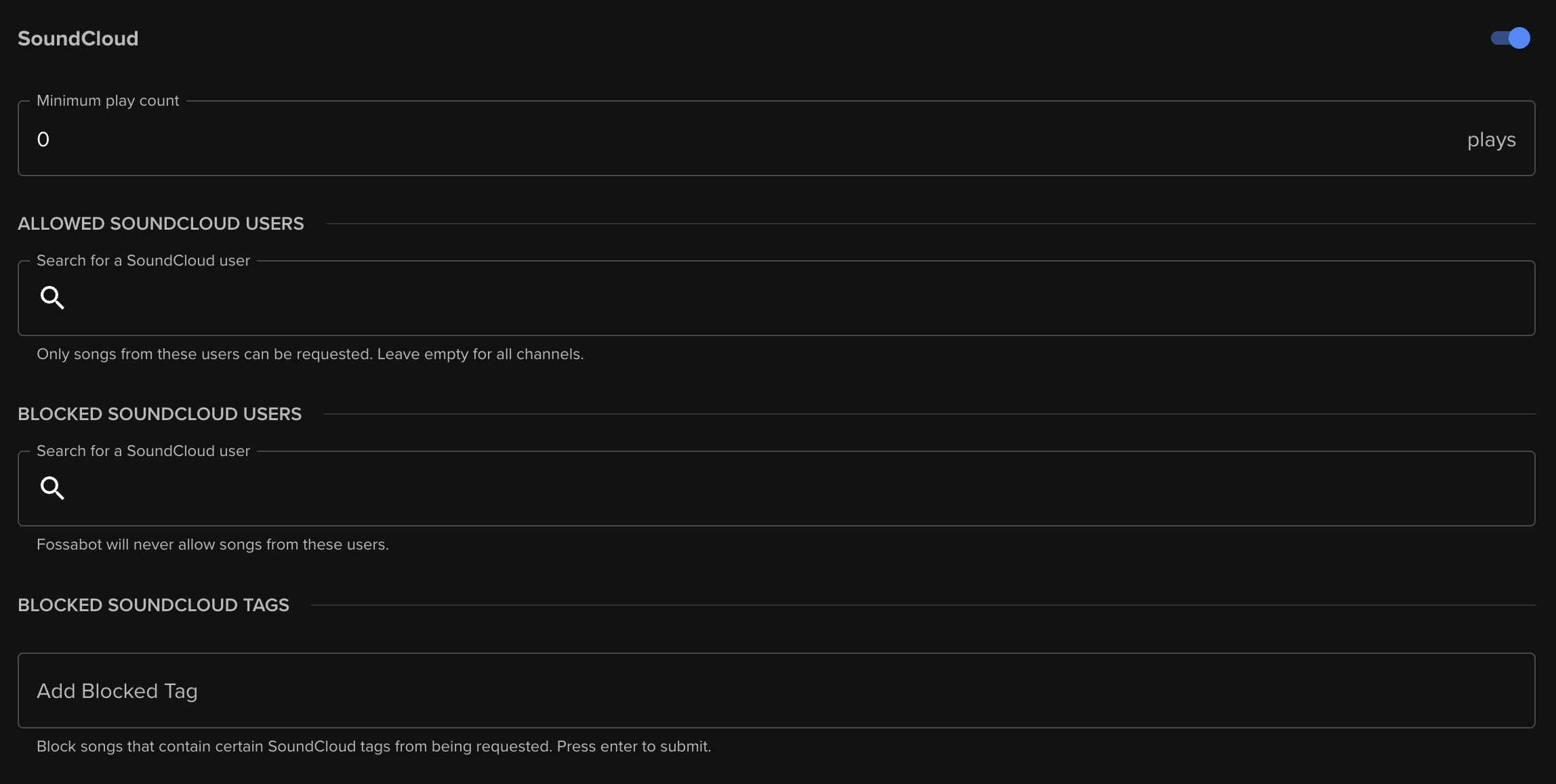
- Minimum play count: SoundCloud tracks must contain at least the given number of plays to be requested.
- Allowed SoundCloud users: Tracks must have been uploaded by a given list of SoundCloud users to be requested.
- Blocked SoundCloud users: Block tracks uploaded by given list of SoundCloud users from being requested.
- Blocked tags: Block tracks containing a given list of SoundCloud tags from being requested.
You may also entirely disable SoundCloud tracks from being requested in your queue.